
Features
What a dugsi does every week. One task at a time.
Each section below is one task that teachers, the office or families have. The screens are from our demo dugsi, where every pupil is called “Test Elev”.
Teacher · app and website
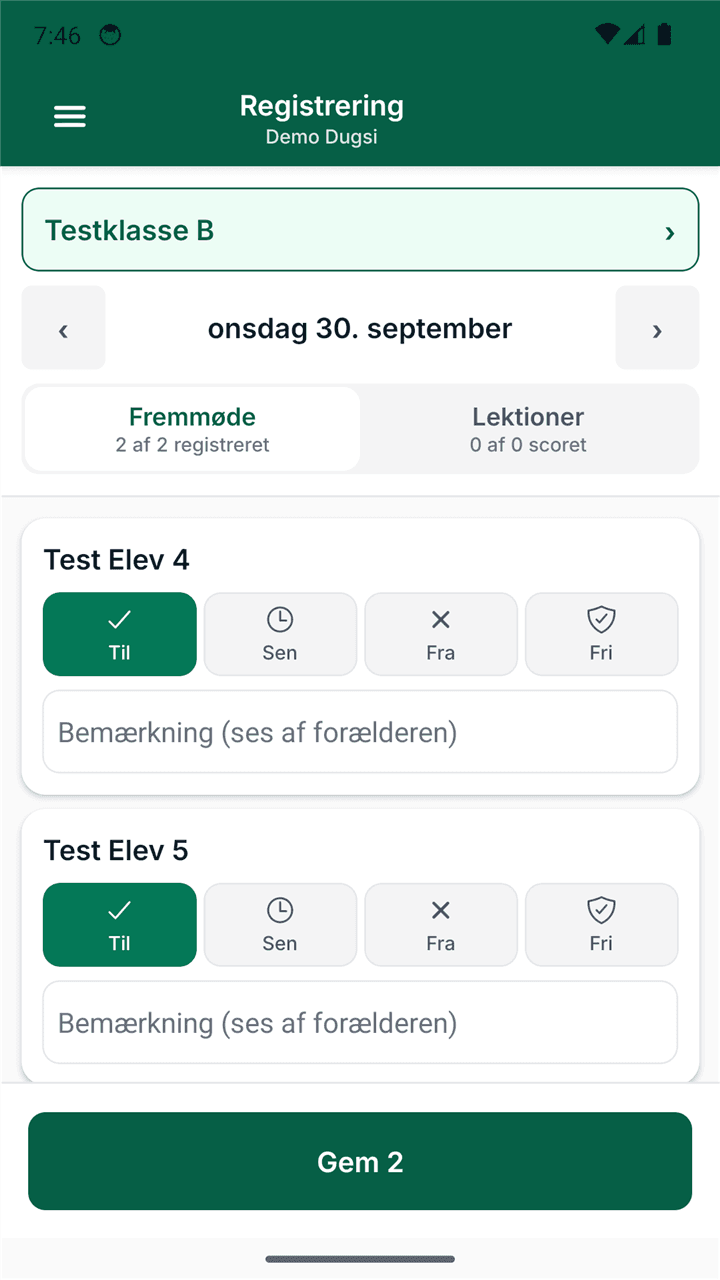
Attendance
The teacher takes attendance for the whole class on their phone, one pupil per row.
- Four statuses: Present, Absent, Late and Excused.
- On the website, children a parent has reported absent are already marked Excused. In the app they show as expected absences.
- The administrator’s start page shows which classes are still missing today’s register.
Teacher · app and website
Lessons and hifz
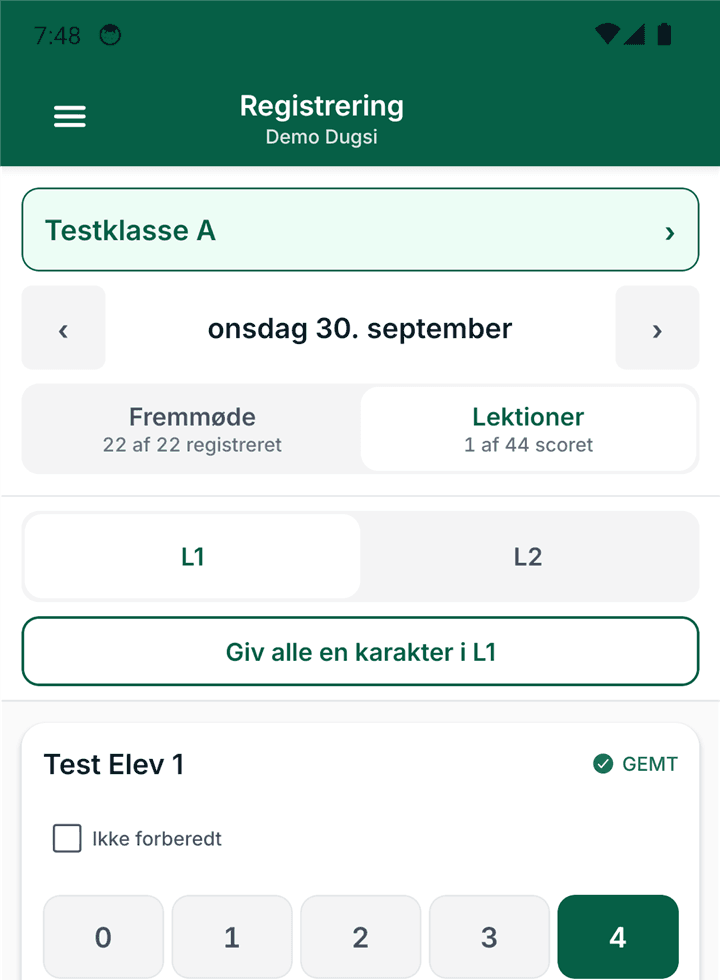
The teacher gives a score for each lesson and notes how far the pupil has got.
- A score from 0 to 4 per lesson.
- For hifz, the latest position is ready for the next lesson.
- On the pupil’s page on the website, the teacher and the office see how far the pupil has got.
Parent, teacher and office
Messages
A parent writes to their child’s teacher or to the school office. A teacher writes to one family or to the whole class.
- Each conversation sits in one thread in MyDugsi, not in a private phone.
- A teacher sees only their own conversations and can only write to families in their own classes.
- The school’s management can read every conversation at the school, and each conversation says so.
Parent
Absence
A parent reports absence before the lesson starts. The teacher sees it in the register the same day.
- The reason is Sick, Leave or Other. Only Other needs a note.
- The absence can cover today, tomorrow or chosen dates.
- On the website, one report can cover all the children in the family.
Parent · iPhone, Android and website
The parent app
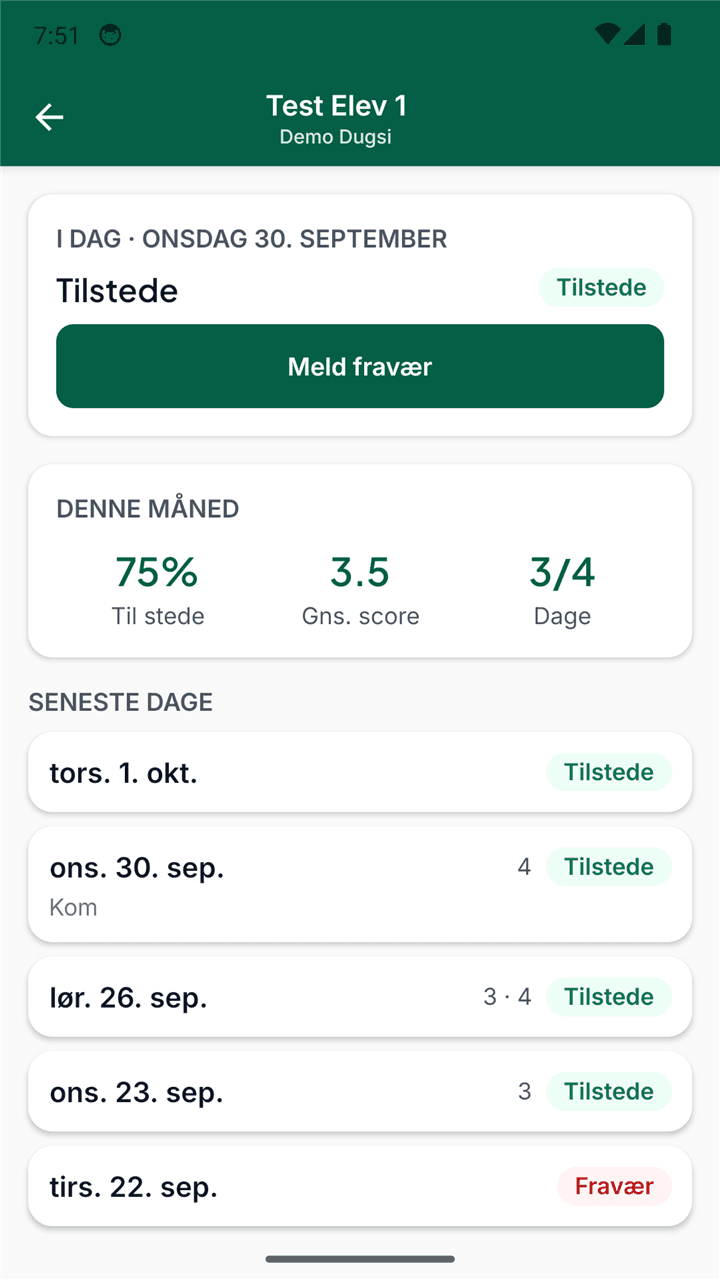
A parent can see how their child is doing without asking the teacher.
- The child’s status today.
- Attendance for the month.
- The latest lessons with their scores.
Family and office
Enrolling families
The school shares one link. The family fills it in themselves, and the office approves.
- The family enters the parent’s name and phone number and each child’s name and date of birth.
- The office reviews each enrolment. If the pupil already exists, the office links the enrolment to that pupil instead of creating a new one.
- When the office approves and sends the login, the parent gets a personal login link on WhatsApp. If sending fails, the office shares the link itself.
Office and parent
Switched on per schoolFinance
The office can see which families have paid, and a parent can see their own status.
- The office can send a reminder on WhatsApp. The amount is in the reminder.
- A parent sees the school’s own payment instructions, for example a MobilePay number.
- MyDugsi receives no money and handles no payments.
Free for your dugsi.
We review the application before the school is created.